Bato National High School eDocument Request
Request and track your school documents online. Simple, fast, and secure—get your tracking code and submit your request in minutes.
How to Request a Document
Our streamlined process makes getting your school documents easier than ever.
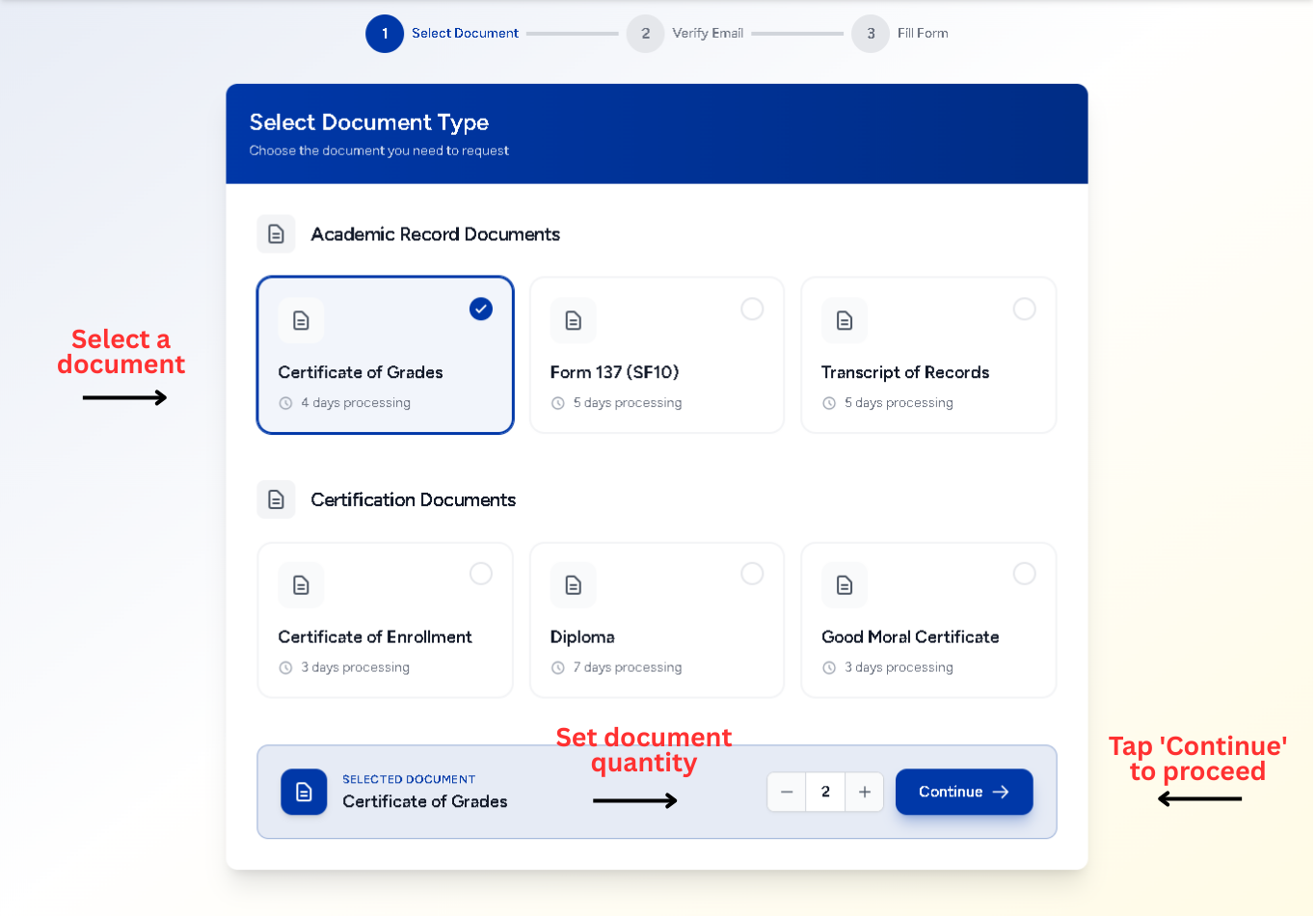
Select Document
Browse and pick the document type you need from our available list.
- Grouped by document categories
- Real-time processing day estimates
- Multiple copies selection available
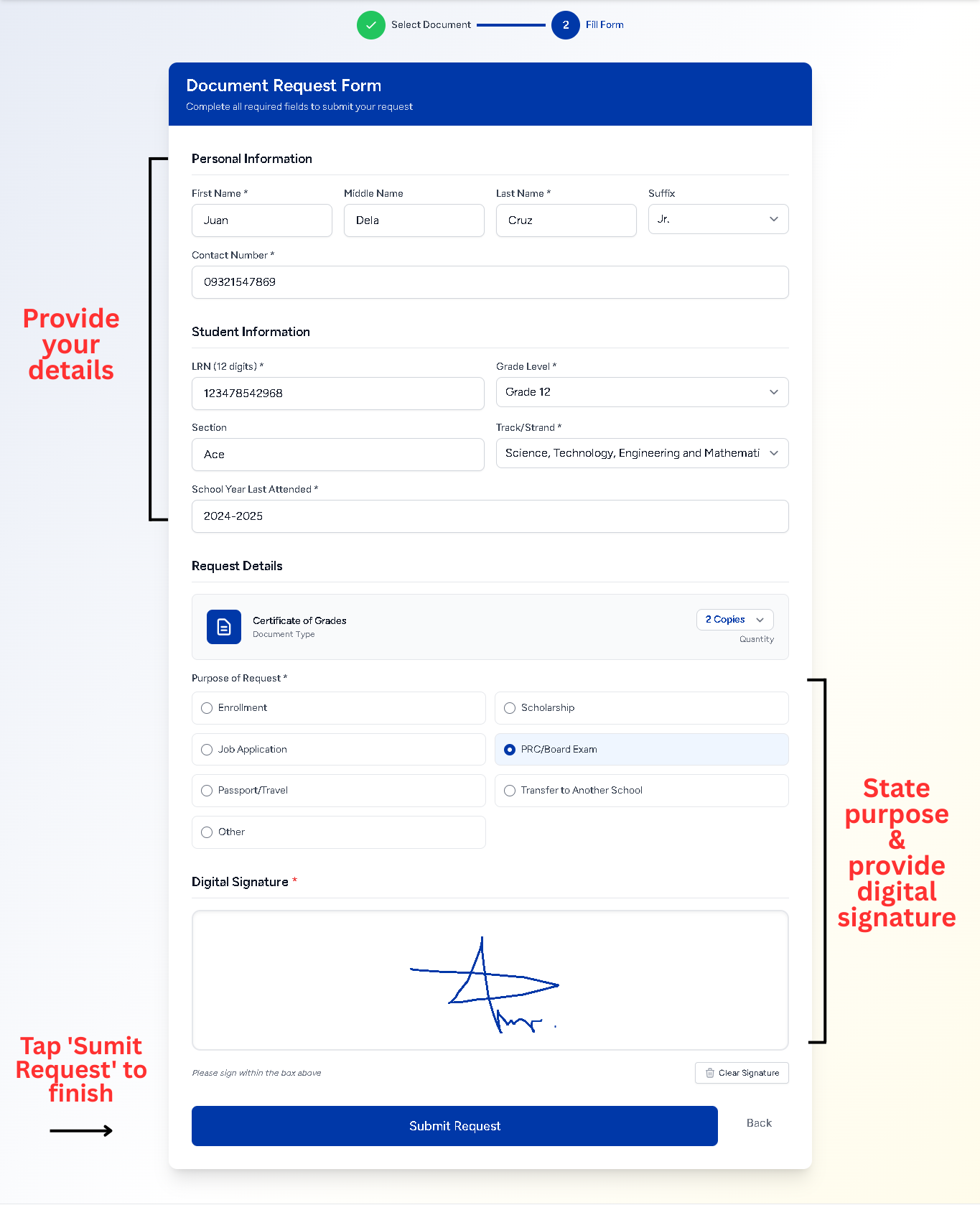
Fill the Details
Provide the necessary information and your digital signature to complete the request.
- Student information and purpose
- Interactive digital signature pad
- Summary of your request details
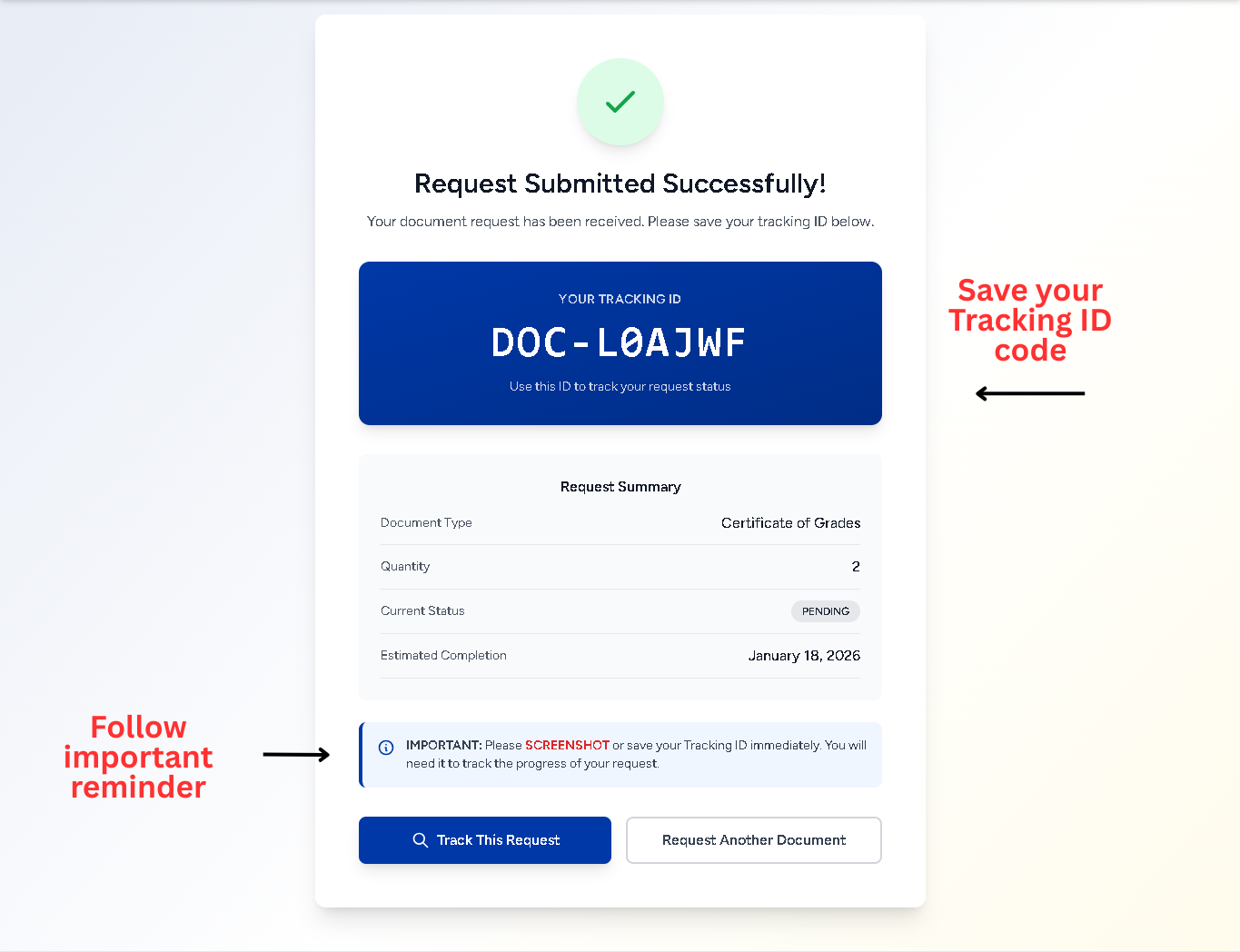
Send & Track
Submit your request, screenshot your tracking ID, and monitor its status!
- Get a unique Tracking ID
- Screenshot your ID for safekeeping
- Use your ID or LRN to track your request
Frequently Asked Questions
Common questions about the request process
Processing time varies by document. Most are ready within 3-5 business days. You can monitor the status on the "Track Request" page.
No account is required. The system is designed for quick, one-off requests without needing to sign up.
After submitting your request, you will receive a unique Tracking ID. It is crucial to screenshot or save this ID. You can then enter it on the "Track Request" page to see the real-time status of your document.
On the "Track Request" page, click "Forgot your ID?". You can then enter your Tracking Code in the format `DOC-{Your LRN}` (e.g., `DOC-123456789012`) to view all the requests you have made.